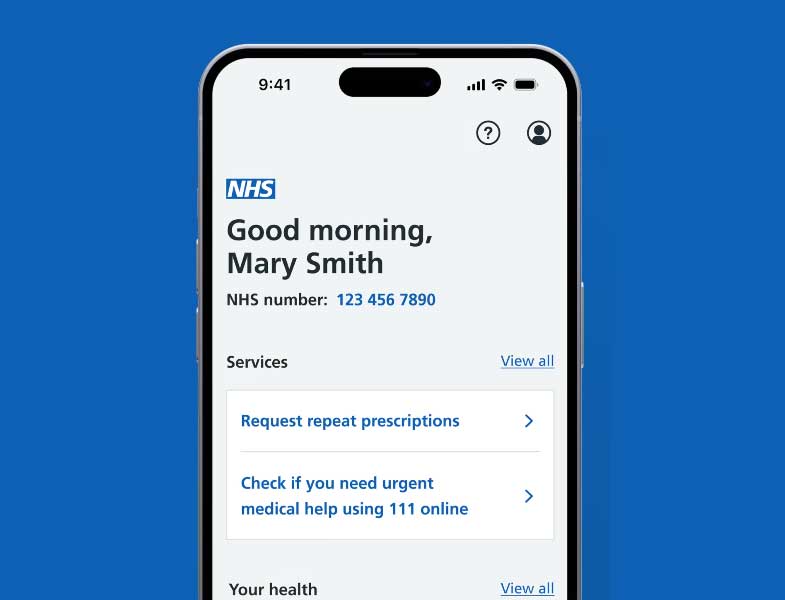
As you may have seen in our last newsletter, there are now more ways to speak to a GP at the Addington Road Surgery. This should avoid long queues on the phone and at the surgery itself.
For anyone who is confused by the app or the online service, here are a few quick tips.
A triage system is now in place
You no longer ‘book an appointment’. Instead, you ‘Contact your GP about a health problem’. That means you’ll send some information about the issues you’re having and an experienced GP or Care Navigator will prioritise what happens next based on your needs. It could mean that they phone you, ask you to visit the surgery or if needed, they will visit you at home.
You can start this process online or with the NHS app.
Starting the process online
Visit the Addington Road Surgery website. Tap the link ‘Contact your GP online’. This will take you to a set of questions to fill in about your situation. This is now the only way you are able to book an appointment online.
Starting the process with the app
As the app is already connected to your medical history, and you can use it on your phone, some people prefer it. Here are the steps to contact your GP.
1. Download the NHS app. It’s available on Google Play (for Android phones) and the App Store (for iPhones).
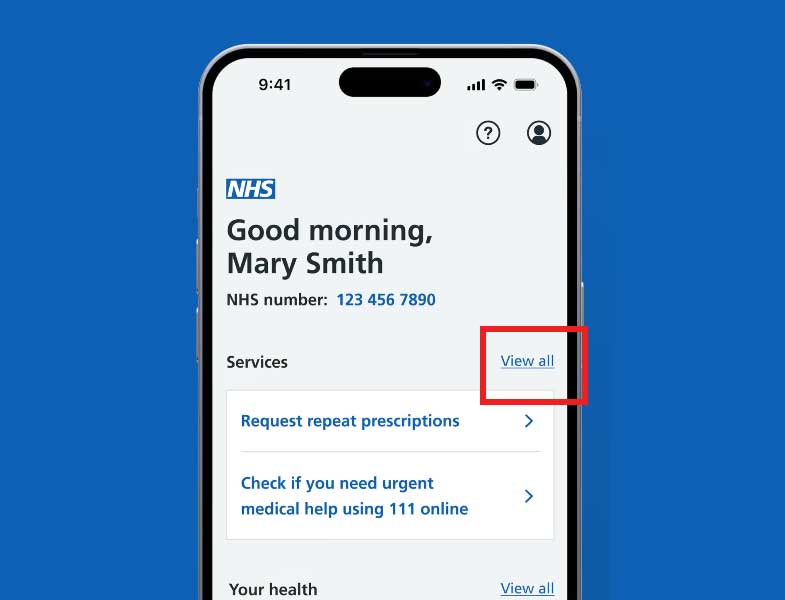
2. Once you’ve registered the app and signed in, you’ll see ‘Services’ at the top of the page, and a link on the right to ‘View all‘. Tap the ‘View all’ link.
3. On the next page, tap ‘Contact your GP about a health Problem‘. This will take you to a set of screens where you can type in information about what the problem is and the help you are looking for.
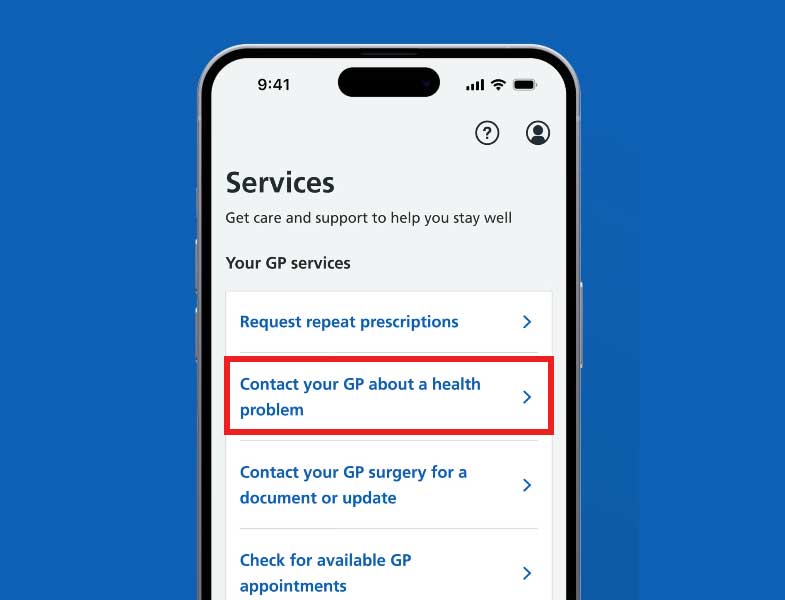
Note: Do not tap ‘Check for available GP appointments’. This will always say that there are no appointments available.
4. Once you have completed your request, the surgery will assess it (triage it) and be in touch with the next steps – either a text, phone call, appointment or home visit.
If you’d prefer to use the phone
You can still call the surgery if you need to. There is a voice recording which will direct you to the right service. Call 020 8462 5771.
If you need more urgent help
Help is always available if you need it more urgently.
- Always call 999 in an emergency.
- If you are not sure whether you have a medical emergency or not, call 111. You will be asked to answer some questions and they will tell you what to do next. Find out more about the 111 service.
Don’t forget to check in on your neighbours
Now it’s colder and we’ve reached flu season, it’s important to check in and see if anyone needs a bit of extra support. Look out for each other and help out where you can – whether it’s picking up a pint of milk, sharing a friendly word, or providing a bit of tech support.
 Coney Hall Village Residents' Association (CHVRA)